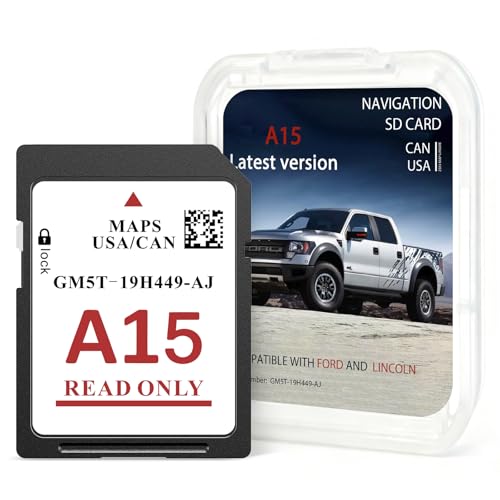
2025 Latest A15 Navigation SD Card OEM#GM5T-19H449-AJ,SD Card
Coverage Canada USA for Car GPS Navigation System,Car Accessories Compatible with Ford 2013-2015 C-Max Lincoln 2015 MKCUSD $16.99
Condition : NEW
Free Shipping
{{variant_type_name}} :

Notify me when the price drops
We will email you if we find a lower price on this product!
- Buyer's Guide: The car in-dash navigation GPS units card part number: OEM#GM5T-19H449-AJ. This map update is for database version A15, SD card data map library coverage for the United States and Canada. Please note: this product update is only available for Sync2 systems that use the embedded SD card for navigation. It does not apply to Sync 3 or 4. Although the models are the same, they may vary from year to year and you will need to compare compatibility information carefully.
- Compatible Models: Compatible with Ford 2013-2015 C-Max, 2013-2015 Escape, 2015 Expedition, 2013-2015 Escape Hybrid, 2011-2015 Edge, 2013-2015 F-150, 2015 Expedition XT, 2013-2015 Flex, 2011-2016 Explorer, 2013-2016 Fusion, 2014-2015 Fiesta, 2012-2015 Focus, 2015 Mustang, 2013-2016 Super Duty (F-250 / F-350 / F-450), 2013-2015 Taurus, 2013-2015 Transit, 2014-2016 Transit Connect. Compatible with Lincoln, 2015 MKC, 2011-2016 MKX, 2015 NAVIGATOR, 2013-2015 MKS, 2013-2016 MKZ, 2013-2015 MKT.
- Installation Method: First, turn off the vehicle and make sure there is no current being transmitted. Then, locate the mounting card slot located in the center console or behind the small door in the dashboard. Remove the old SD card and insert the new SD card into the slot, and the installation is complete when you hear the slot click. (The card slot is spring-loaded, if you need to remove the SD card, please do not force the card to pull it out without fully inserting it, otherwise the chip will be easily damaged).
- Notes on Use: When the navigation SD card fault message is displayed. First, remove the navigation SD card from it and check it for damage. If it is normal, reinsert the SD card. Next, start your vehicle and disconnect any external devices that may be associated with the navigation function. Then, perform a master reset operation. In the system settings, you be able to find a “Master Reset” option, then Just follow the system prompts.
- Efficient Navigation: The main function of our A15 GPS navigation card is to store the video data for car navigation, including map data and road information. At the same time, the car navigation card has been updated with the latest map database, which keeps that the map data and road condition information of the navigation system are in the real state, helping you to reach your destination efficiently and quickly.
- Color: Black
- Size: 1.24*0.93*0.07 inch
- Weight: 0.00625

Price type
IN STOCK
OUT STOCK






 .
